ZMA-Desk: Real-Time Monitoring and Data Logging Power
The ZMA Data Acquisition platform delivers reliable data collection in industrial environments. But the true value of your data lies in how effectively you can manage and analyze it. That's where ZMA-Desk comes in. As a professional desktop application, ZMA-Desk covers everything from live monitoring to data export and analysis.
Monitoring: See Your Data in Real-Time
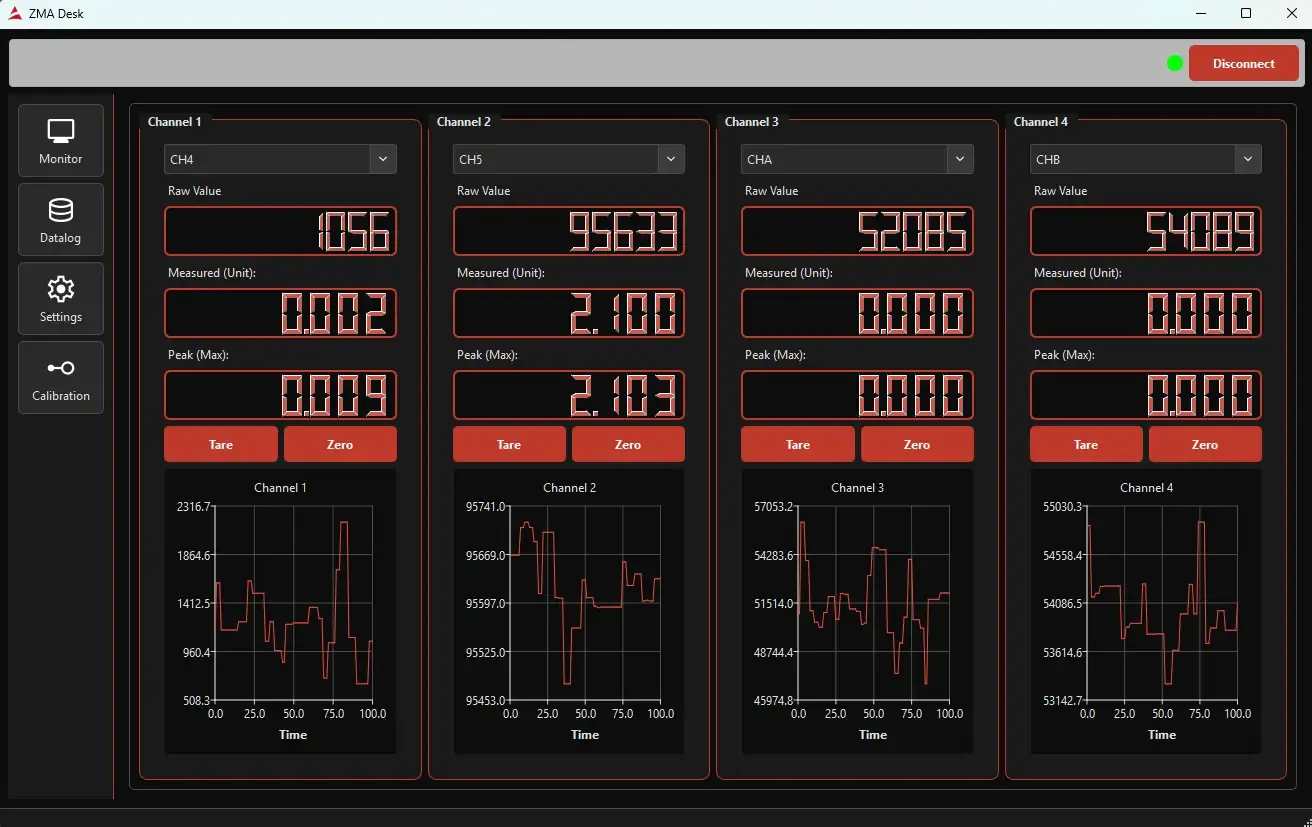
Monitoring in ZMA-Desk is designed to track sensor data as it happens.
Key Features
- Monitor Up to 4 Channels Live: Track multiple sensors simultaneously
- Three Data Display Types:
- Raw Value: Direct sensor output
- Measured Value: Calibrated measurement
- Peak (Max) Value: Highest value recorded in the selected period
- Live Charts: Real-time graphs for each channel
- Quick Calibration: One-touch Tare and Zero buttons
Practical Usage
Each channel displays independently on the monitoring page. For example:
- Channel 1: Weight measurement
- Channel 2: Pressure reading
- Channel 3: Linear Potentiometric Displacement
- Channel 4: Flow rate
All monitored simultaneously with real-time graphing. Adjust your zero point with Tare, reset to baseline with Zero.
Datalog: Record and Export Your Data
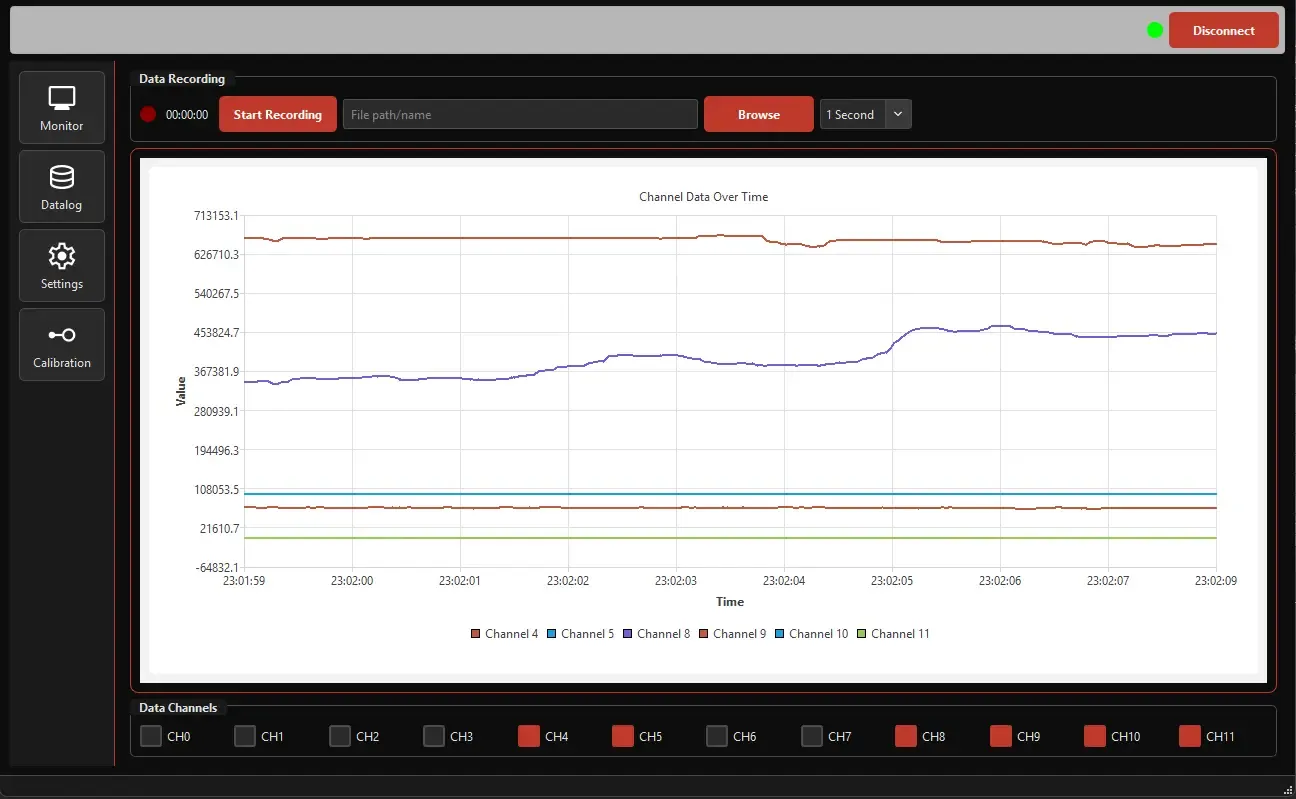
While live monitoring is valuable, capturing and analyzing long-term measurements is often where the real insights emerge. The Datalog section handles this perfectly.
Key Features
- Selective Channel Recording: Choose which channels to record
- Configurable Interval: Set your measurement period (e.g., 1 second, 5 seconds, 1 minute)
- Multiple Export Formats:
- CSV: Universal format, opens in any application
- XLSX: Excel-compatible, supports formulas and charts
- Recording Status Indicator: Know if recording is active
- Recording Duration Timer: See how long you've been recording
- Data Browser: Navigate and manage recorded files
Data Analysis Workflow
- Start measurements in Monitoring
- Switch to Datalog and select channels to record
- Choose CSV or XLSX format
- Press Start Recording
- Let it run for your desired duration
- Stop recording and save to your location
- Open in Excel or analysis tool
Why ZMA-Desk?
Time Efficiency
Automatic recording instead of manual data entry saves hours.
Long-Duration Monitoring
Keep your computer running and collect data for hours or days unattended.
Easy Sharing
CSV/XLSX files open in all standard engineering tools. Colleagues, managers, and customers can instantly view and analyze your data.
Professional Reporting
Create graphs, trend analysis, and detailed reports from recorded data.
Industrial Applications
Quality Control: Verify consistency during production Research & Development: Test sensor performance and system behavior Equipment Monitoring: Track long-term performance of machinery Compliance Documentation: Record data for ISO, CE, and other standards
Conclusion
ZMA-Desk transforms the ZMA Data Acquisition platform from a measurement device into a professional data management system. Monitor in real-time to make quick decisions, then use Datalog for comprehensive long-term analysis.
If you need high-precision, reliable data acquisition and management in industrial environments, the ZMA + ZMA-Desk combination is your ideal solution.
Learn more about ZMA: ZMA Data Acquisition